
Online Checkout
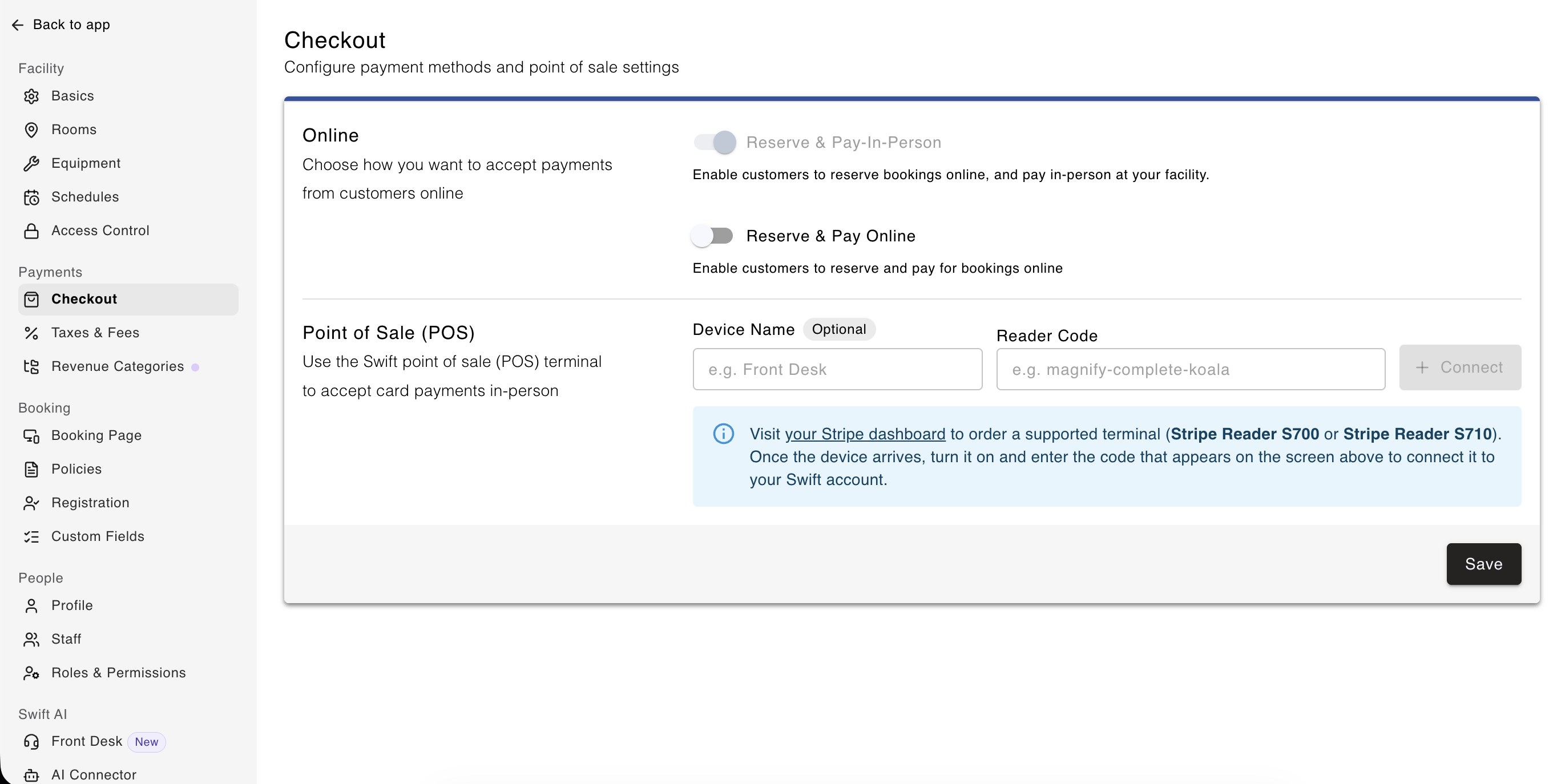
Choose how you want to accept payments from customers who book online. There are two toggles here that you can control, letting you choose how customers will pay for services and when they are charged,
Reserve and Pay In-Person: Allow customers to make bookings on your page, and not pay for it at the time of booking. The booking will show up in the Admin Calendar, marked as unpaid. Your facility will be in charge of collecting and processing payment for their booking, and this is managed in Swift Admin.
Reserve and Pay Online: When customers make a booking online, and they must pay for the booking at that time. This could be in the form of credit or debit card, their Swift Wallet balance or a GiftUp gift card.
Optionally, you can have both Reserve and Pay In-Person and Reserve and Pay Online options turned on, and the customer will have the choice of paying online (at the time they make the reservation), or they can choose to reserve and pay in person.

The settings you enable here, does not affect how you can collect payment on the Admin side.
Point of Sale (POS)
If you have purchased a Stripe terminal / card reader for your facility, this is where you will enter the passphrase that's displayed on the Stripe device to connect it to your Swift account.
Please refer to the Point of Sale article to learn how to connect your Stripe card reader to your Swift account.