In Swift, you can mark a participants attendance through the booking tiles on the Calendar view in Admin.
On the Calendar view, click on the booking tile
Select the Manage Participants and Payments icon
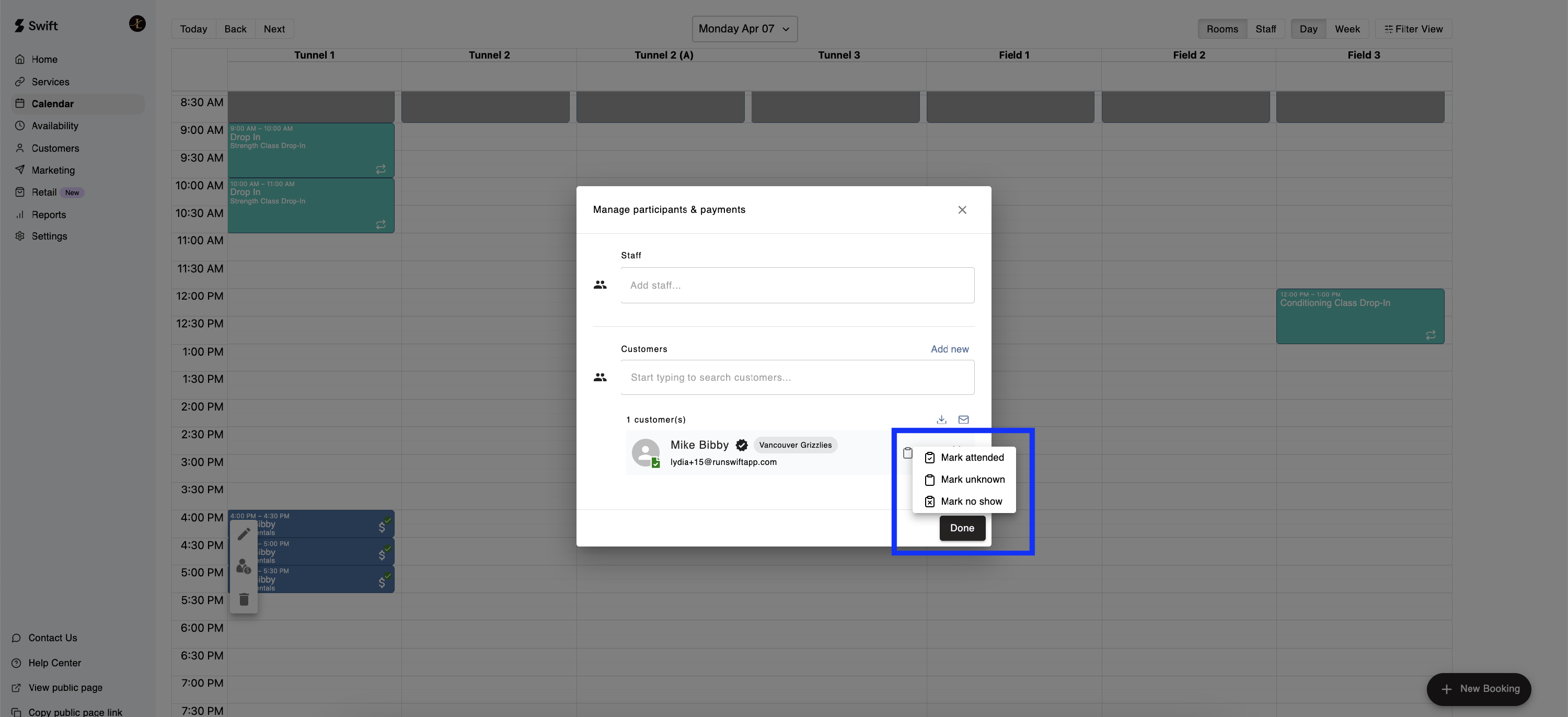
Next to the participant's name, select the Mark Attendance icon
Select the appropriate option from the list
Click the Done button to save and close the modal
You can visit the Attendance Report by navigating to Reports > Attendance in the Swift Admin Dashboard, where you will see the participants of various bookings and their attendance status.