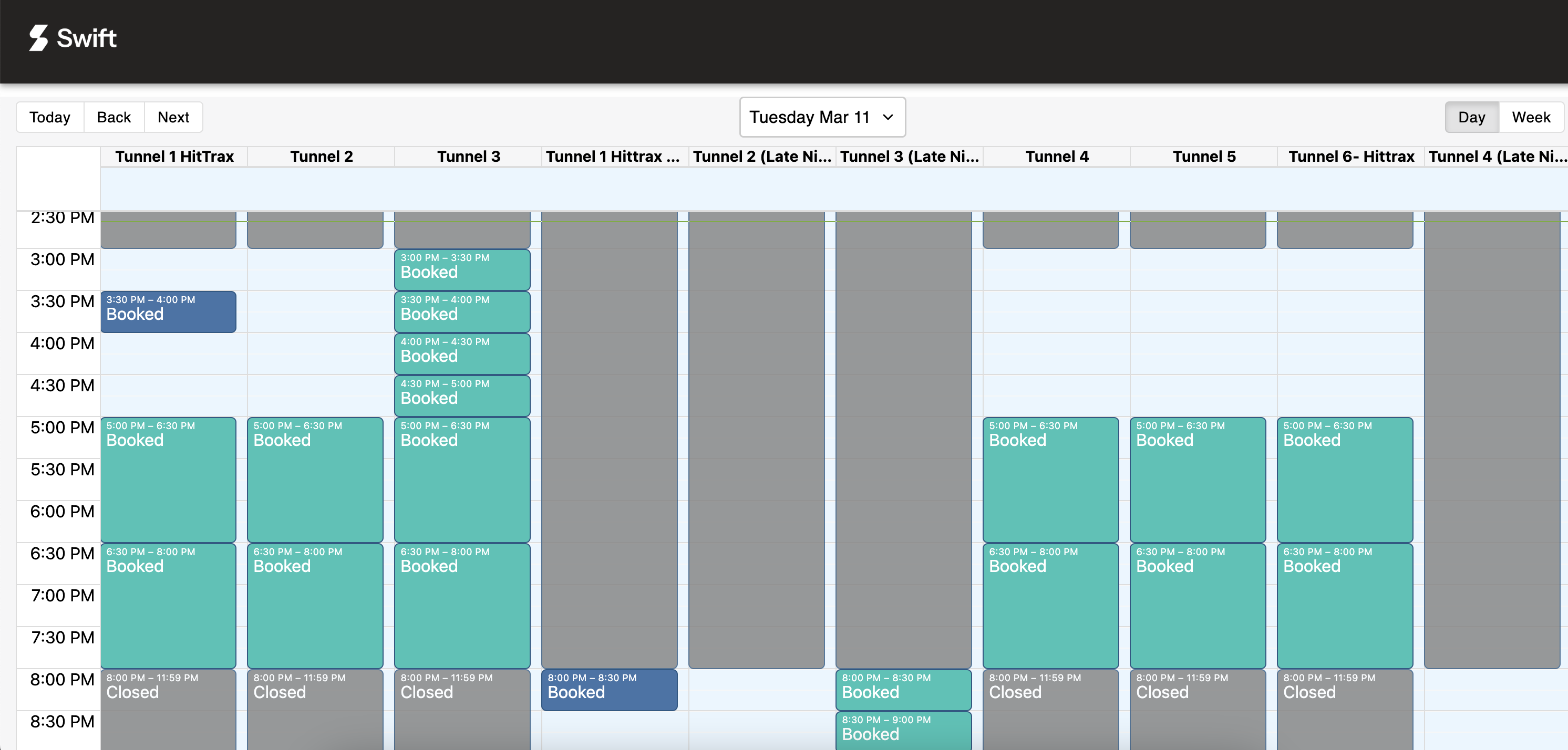
The Public Calendar is a view-only version of your facility’s schedule. You can share it with your customers, embed it on your website, or display it on a TV at your facility so that customers can check availability or see which room they've been allocated.
Customers do not need to log in to view the calendar — making it a great way to provide real-time visibility into your facility's schedule.

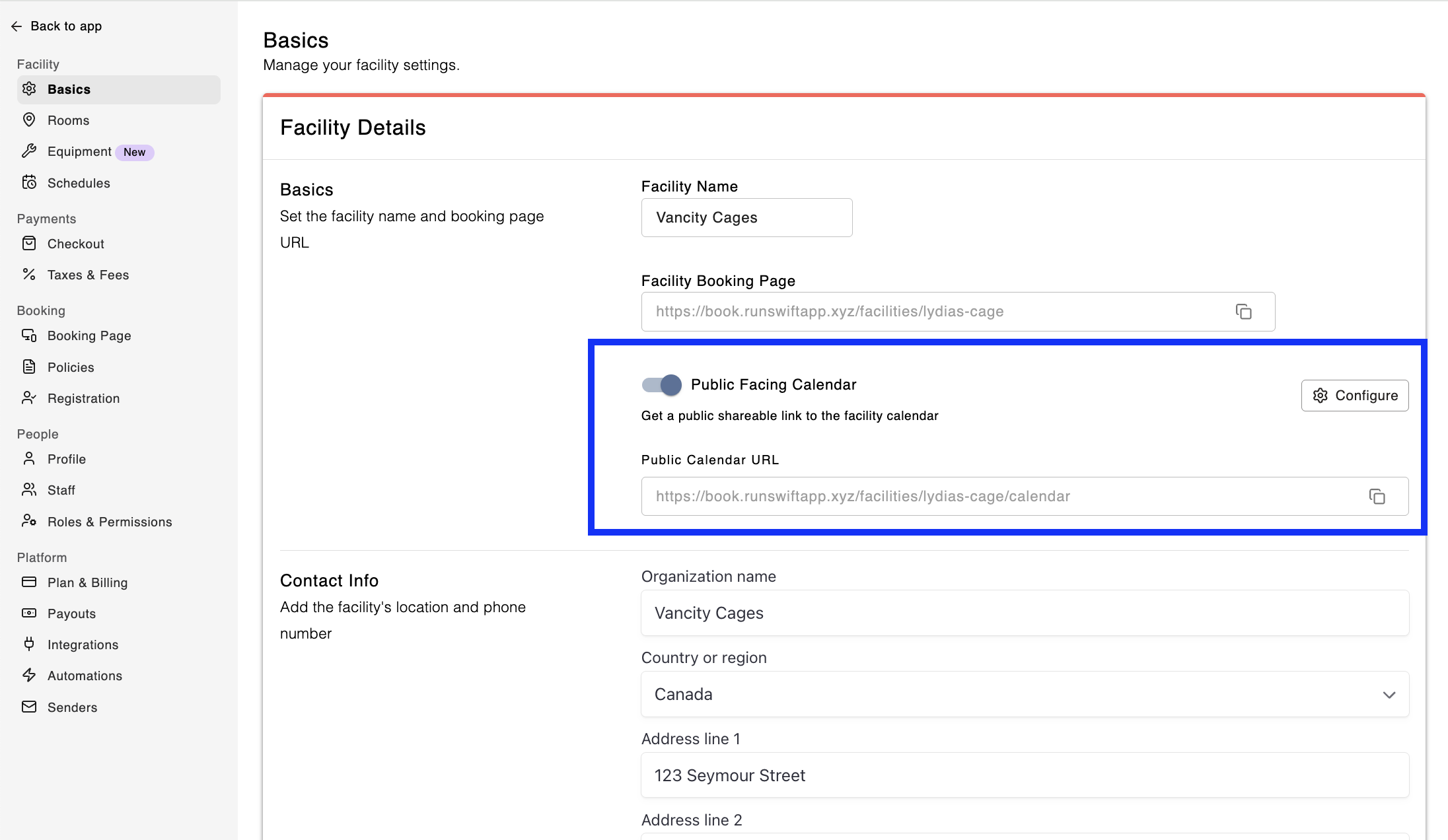
To enable and access the public facing calendar for your facility,
In Admin, go to Settings > Basics
Under Basics, toggle Public Facing Calendar to ON
Click the Configure button
Select what details will display on the booking tile
Don't show event titles — the tile will simply say "Booked"
Show titles for class events only — The title for only Classes will be displayed
Show titles for all events
Select the rooms you want displayed (unchecking any that you don't want displayed)
Click Save
Now you can copy the Public Calendar URL and share it with your customers, display it on your website in an iFrame, or simply cast it onto a TV at your facility!