Payouts are how money from your customers gets deposited into your bank account by Stripe. To control how often you get paid from Stripe, please visit the Stripe Dashboard.
There, you'll be able to configure payout speed and look at your upcoming payouts + a history of past payments (along with a host of other information). You can also change the bank account on file, add additional owners, etc. through your Stripe dashboard.
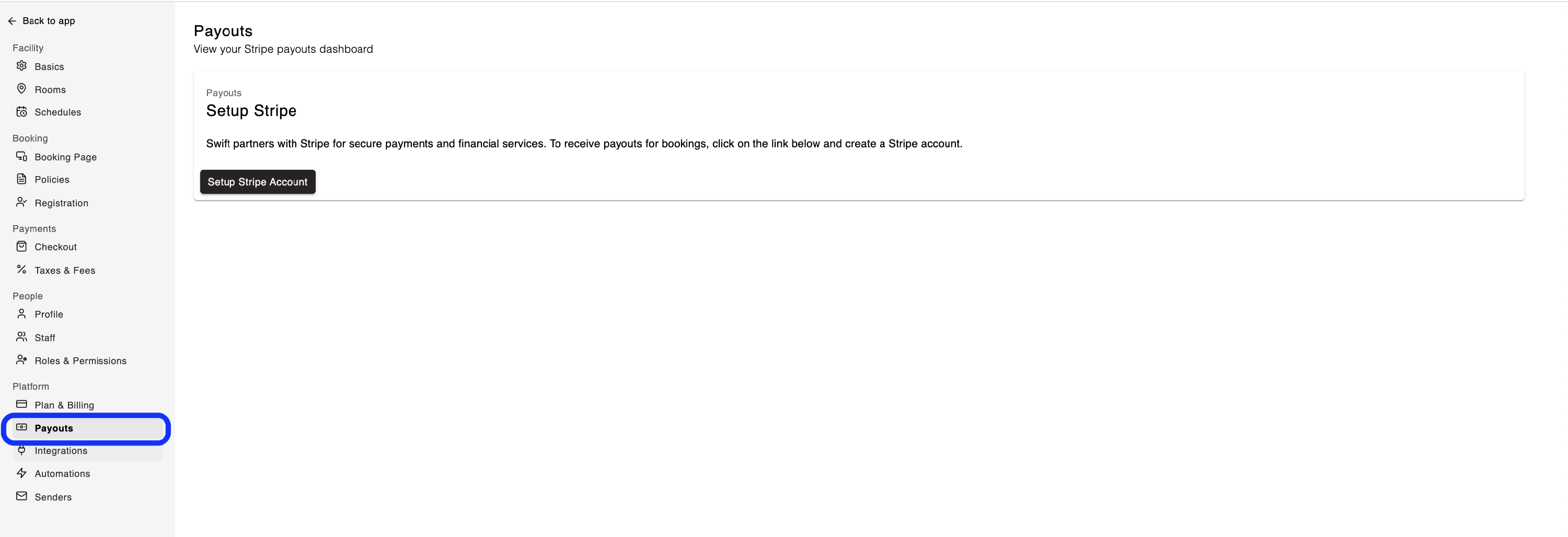
The Payouts page in Swift provides an easy link to your Stripe account. You can visit it by navigating to Settings > Payouts,
When you start processing live payments, Stripe typically schedules your initial payout for 7-14 days after you successfully receive your first payment. This delay is necessary for risk mitigation and cannot be waived under any circumstances.
Bank related delays - Bank processing can be delayed by weekends and holidays. Once the bank has finished processing your payout, the funds will be deposited into your account automatically.
Account verification issues - Check the Dashboard and your email to see if additional information is required to verify your Stripe account.
You can update your account details or add a new bank account using the Payout settings in the Stripe Dashboard.
If you're having trouble updating your Bank Details in Stripe, please contact Stripe Support: https://support.stripe.com
To view more details in regards to each Payout, you can view it from your Stripe dashboard. By clicking into each Payout, you will see a list of transactions that have been included in the payout, the date of the transactions and the fees that have been deducted.