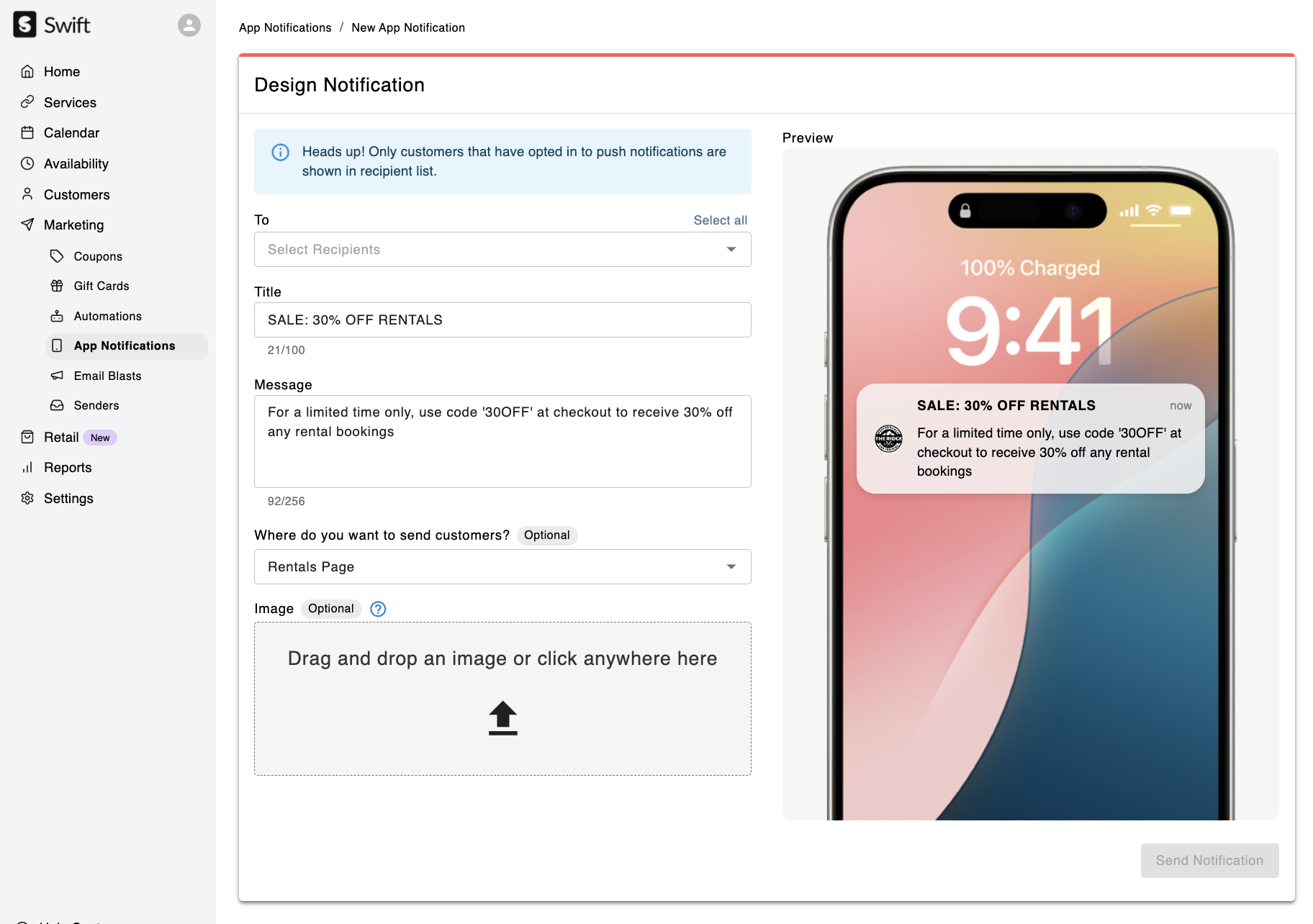
With Swift, you can engage your customers effectively by sending Push Notifications through your custom mobile app! This feature allows you to deliver tailored messages and streamline communication.
You can visit the App Notifications page by navigating to Marketing > App Notifications in the Swift Admin Dashboard.

App Push Notifications are a great tool for:
Promoting last-minute availability, discounts, or special offers.
Announcing schedule changes or event reminders.
Encouraging engagement, like class sign-ups.
Sharing important updates about your business.
Go to Marketing > App Notifications in the Admin dashboard.
Click on the '+ New' button
Add Recipients in the To field.
Give your notification a Title
Enter your message in the Text field
Optional: Where do you want to send customers? - When the customers click/open the push notification, if you would like to direct them to a specific service.
Optional: Add an image
Click the Send Notification button