Staff email addresses can be changed by the Owner, or it can be updated by the staff member themselves.
The staff member must log in to Swift Admin using their existing, current Swift credentials.
Go to Settings > Account.
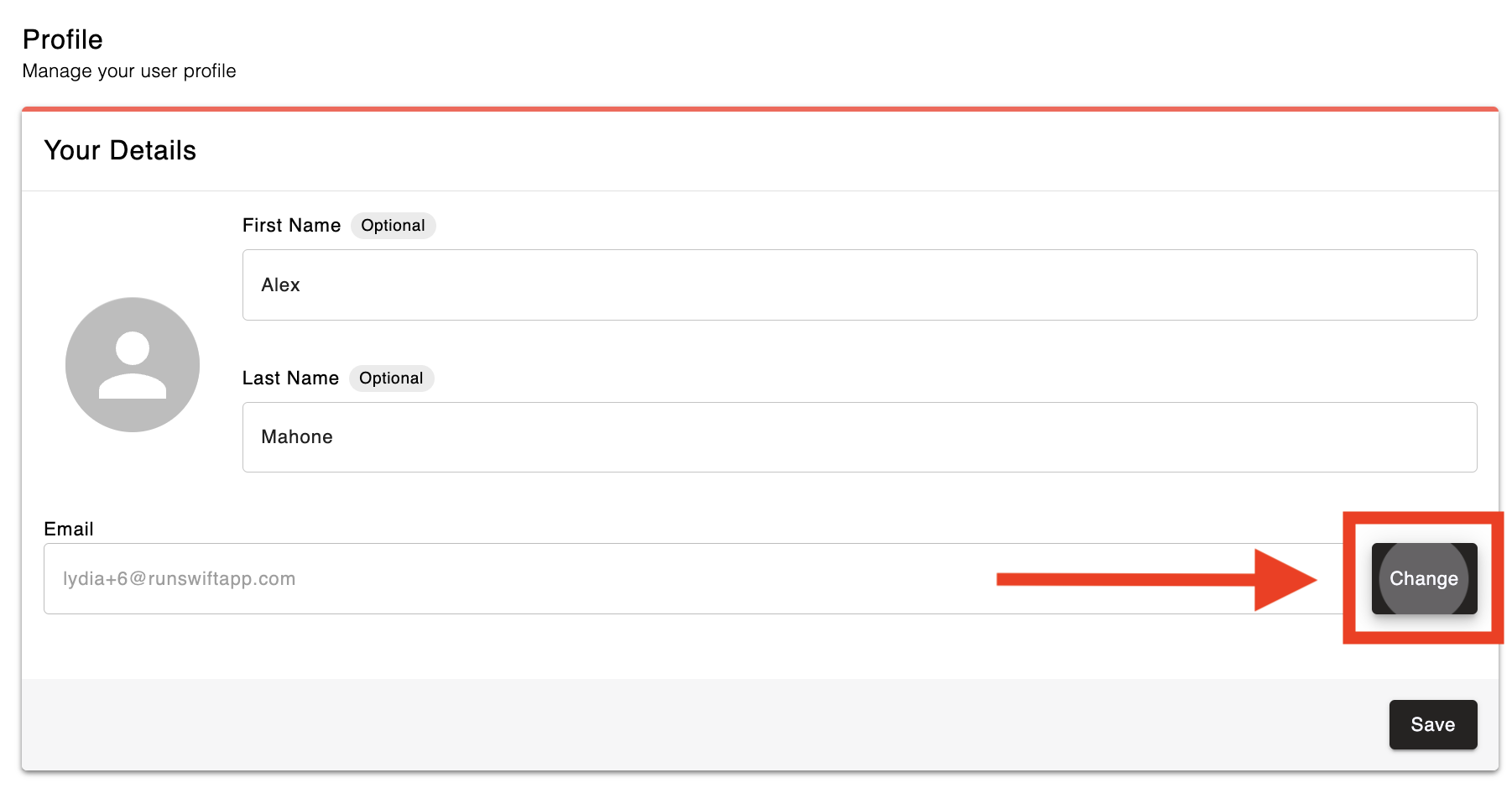
On the Profile page, click the Change button next to the Email field.
Input the new email address
Click 'Continue' to proceed
A verification code will be sent to the new email address inbox. Enter the code to complete the email change process.
In Admin, go to Settings > Staff
Select the staff member's profile
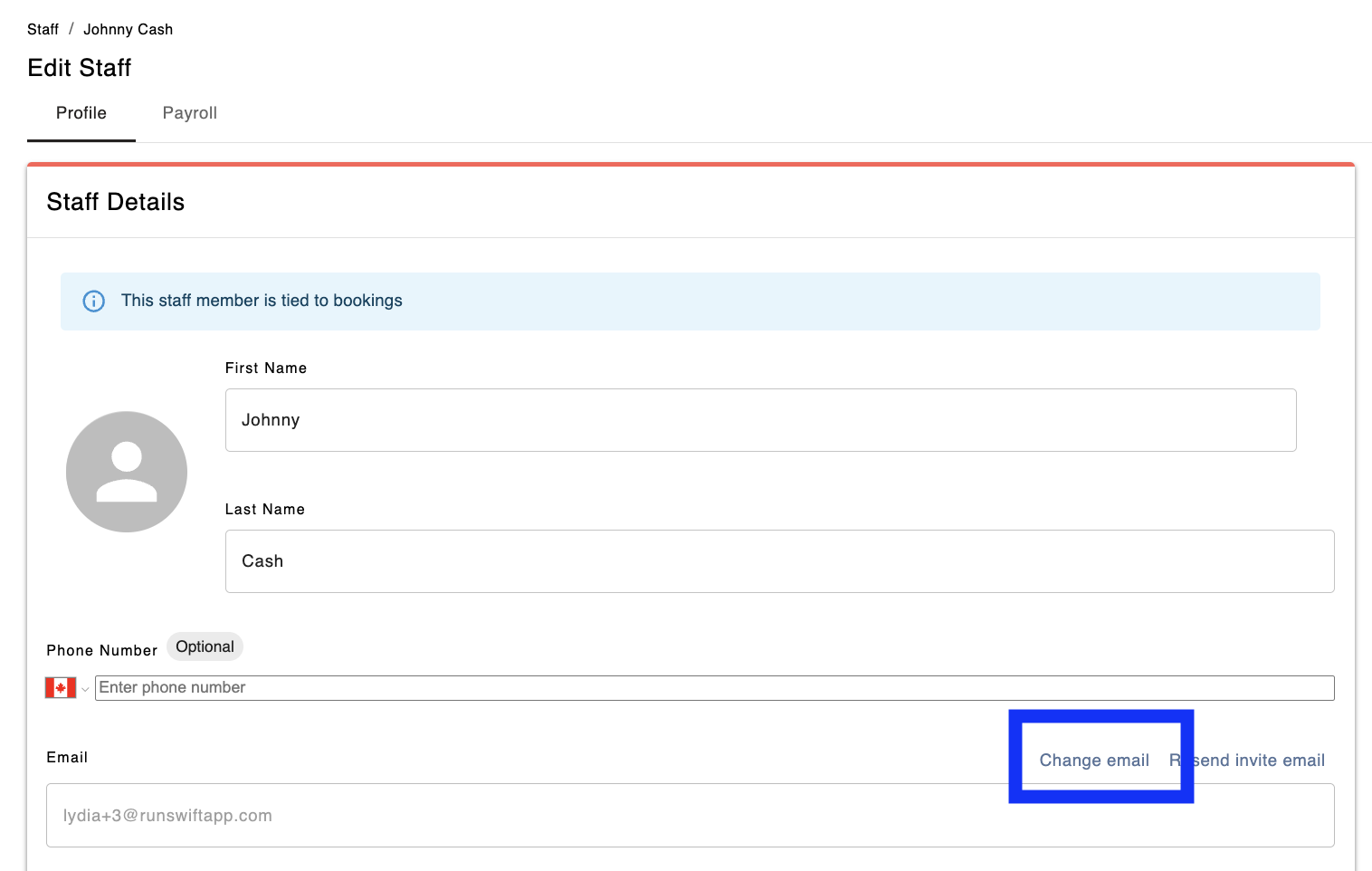
On the Edit Staff page, click the Change Email button next to the Email field.
Input the new email address
Click Update Email to save and proceed
For further assistance, contact our Support team.